


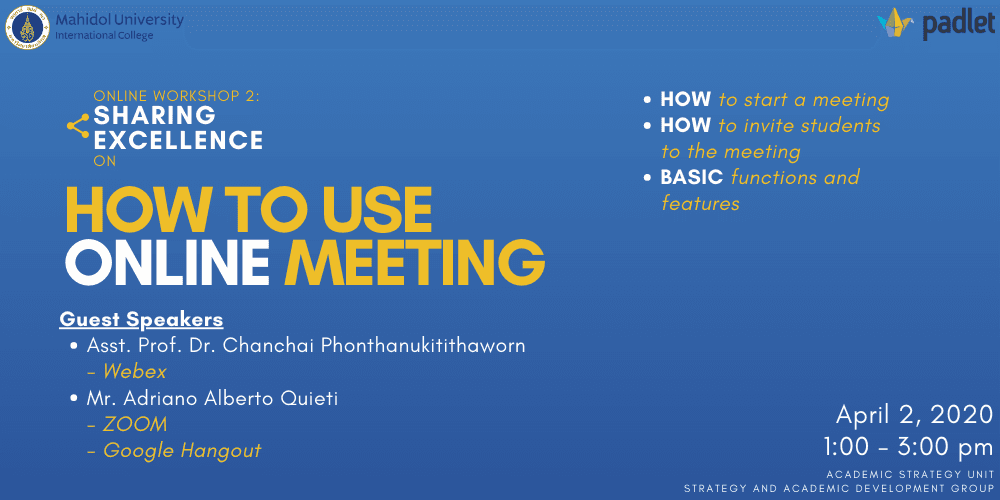
Date & Time: Thursday, 2 April 2020 from 1.00 - 3.00 pm
Conductors:
- Asst. Prof. Dr. Chanchai Phonthanukitithaworn, Associate Dean for Corporate Communication and Information Technology
- Mr. Adriano Alberto Quieti,Lecturer from Preparation Center for Languages and Mathematics (PC)]
This session was conducted on the WebEx platform with the aim of helping MUIC faculties to get familiar with three different applications to facilitate the online meeting. These applications work as video conferencing tools that allow user to set up a virtual room and provide a room number/ a join link inviting via email, that user can use to enter the room. The features may vary from calling, recording a meeting, polling to raising virtual hand, and while sharing some common virtues, some application might require add-on features with or without extra cost.
The advantage of using video conference meeting application is helpful for a meeting because it makes it easier to keep track of who is speaking. It can also create an friendly setting that can help facilitate communication on complicated ideas.
WebEx
The speaker shared the facts that this business-based video conferencing application is specially designed for video conferencing and online events. When planning a meeting, standard functions such as time, date and duration of event can be set. Agenda items can be added as well as a password for a meeting. Using virtual whiteboard is also possible for sharing notes. Administrator can record the meeting, both audio and video, and participants can download the recording via given link. While they can chat during the meeting, participants can also be muted. The hosts can share their files including video files from their computer.
Google Hangout (Google Meet)
Google Meet, previously named Hangouts, offers various services regarding online meeting with no cost. Users can plan, start, and join a meeting including participate in calls via email. In addition, user can share own screen and turn on captions where a scripts, of the speaker who is speaking, appears. Though the transcription is not perfect, this allows participants to follow what is said without turning on the sound function. Within one domain, it is possible to stream video up to 100,000 viewers.
Zoom
This platform shares general features as others. However, some interesting feature includes connect and chat among participants even before the arrival of hosts who can turn off a microphone or camera of participants whenever they want. It also gives administrator an authority to quickly access to several functions to take control over the meeting. For example, locking the meeting, creating a waiting room for new additional participants, allowing participants to share their screens, the chat, etc.